Software tour
Batch review, screen by screen, in the live demo.
enCompass360° is batch review software for manufacturing, from pharmaceuticals to food and beverage: it reads the historian, alarms and batch databases a plant already keeps and puts the whole batch on one screen; on the reference deployment, batch investigations went from weeks to minutes. These twelve screens come from its live demo, on synthetic data from an invented plant. Each one is labelled: in the installed product today, in development, or in the live demo only.
- Review by exception
- Golden batch
- Golden batch, last 50
- Signed batch report
- Signing with meaning
- Equipment fault
- Coater HMI
- From the plant screen
- Batch Explorer
- Alarm Analytics
- Audit trail
- Recipes
- Works with what you run
Every screen on this page carries the demo's own banner: Synthetic demonstration data. Not from any plant, roles are simulated, there is no plant connection, and the demo is not a qualified or GMP system. Batch numbers, operators and values are invented.
What is in the installed product today.
| Capability | Installed product today | In the live demo |
|---|---|---|
| Review by exception | Not claimed here for the installed product. Ask us on the call. | Tiered exceptions, release blocked until each is met, and the person who ran or verified a batch cannot release it. |
| Batch comparison | One-touch comparison of a batch against a reference batch, every source on one axis. | An envelope drawn from up to ten reference batches, with every stretch outside it listed. |
| Golden batch, last 50 | Not claimed here for the installed product. In development. | One average line and band from the last 50 good batches of the same recipe, with every stretch outside it listed. |
| Batch report | Reports as HTML and PDF. | A report signed by the reviewer and bound to a hash of the record. |
| E-signature with meaning | Not claimed here for the installed product. Ask us on the call. | An e-signature with a reason and a stated meaning, written to the audit trail. |
| Equipment fault | The batch review reads alarms and events from your control system. It does not control equipment. | A simulated pump fault that puts the batch on hold. |
| Operator screen | Not claimed here for the installed product. | A tablet coater screen running on a live simulation. |
| Launch from the plant screen | Not claimed here for the installed product. | A menu on the plant screen that opens each enCompass360° view. |
| Batch Explorer | Retrieve by batch or by date range; two batches on one axis with the steps, limits, alarms and audit trail. | The batch finder and the overlay as shown. |
| Alarm Analytics | Not claimed here for the installed product. In development. | Alarm counts and times to resolve for the whole plant or one unit, with a drill-down to each occurrence. |
| Audit trail | Each source keeps its own audit trail, shown beside the batch. | A hash-chained audit trail with a Verify check. |
| Recipes | Central recipe editing with revision history and approval. | Limits on every parameter, and a different person approves with an e-signature. |
Review by exception
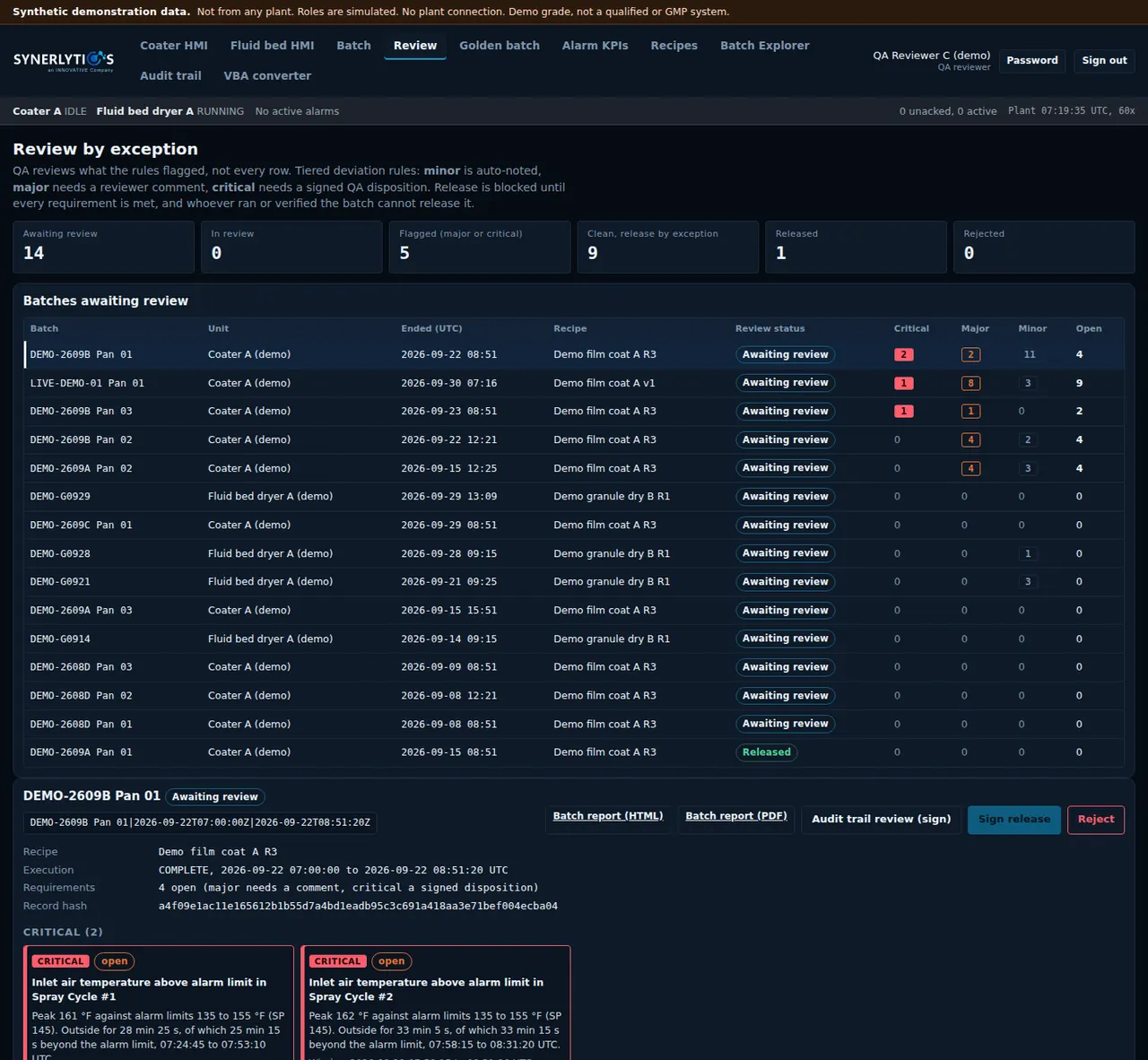
Review what the rules flagged, not every row.
In the live demo, deviations are tiered. A minor one is noted automatically, a major one needs a reviewer comment, and a critical one needs a signed QA disposition. Release stays blocked until every requirement is met, and the person who ran or verified the batch cannot release it.
- Installed product today
- Not claimed here for the installed product. Ask us on the call.
- In the live demo
- Tiered exceptions, release blocked until each is met, and the person who ran or verified a batch cannot release it.
Golden batch
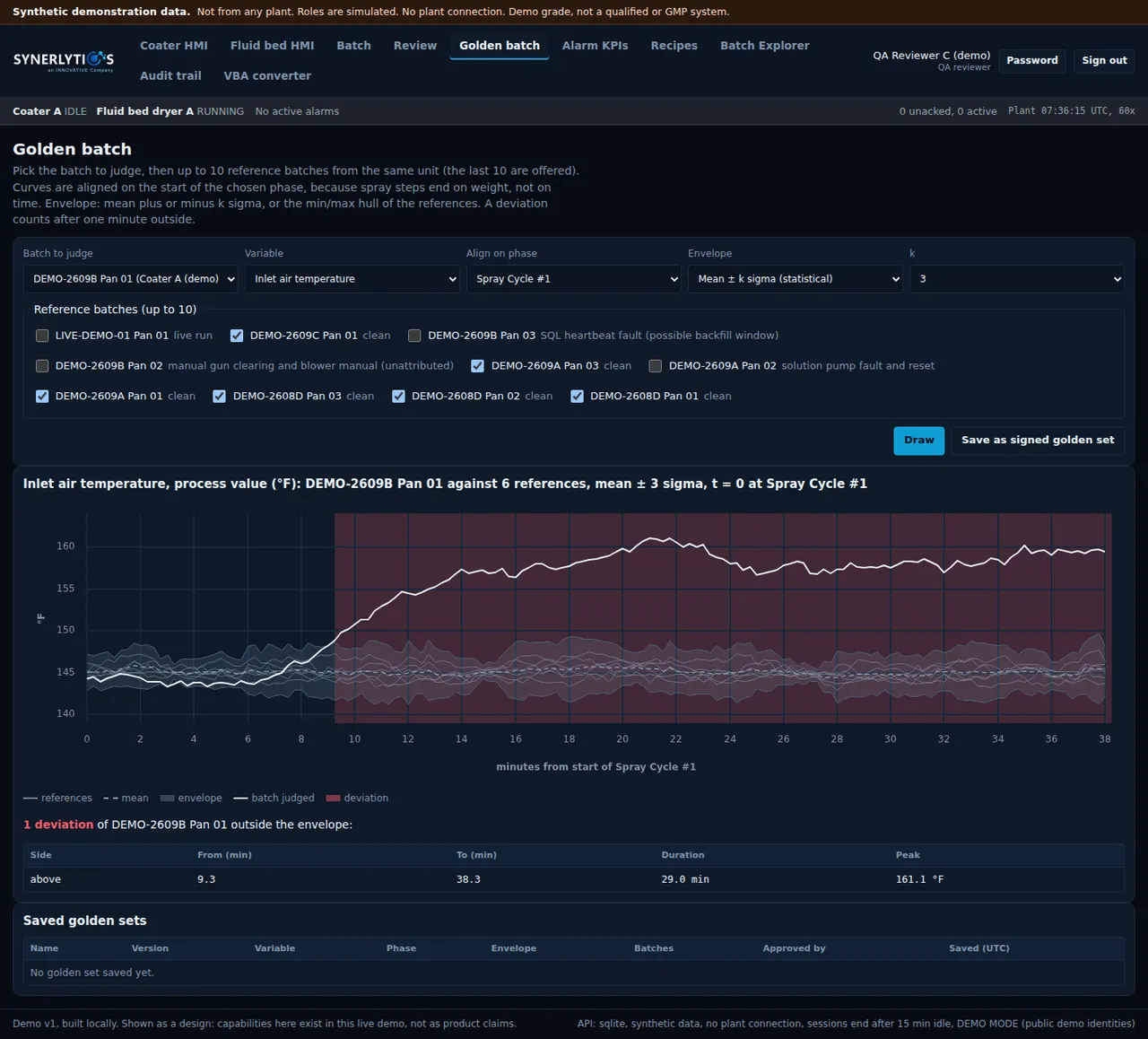
Judge a batch against the batches that ran well.
Pick the batch to judge and up to ten reference batches from the same unit. The curves are aligned on the start of a phase, an envelope is drawn around the references, and every stretch outside it is listed with its duration and peak.
- Installed product today
- One-touch comparison of a batch against a reference batch, every source on one axis.
- In the live demo
- An envelope drawn from up to ten reference batches, with every stretch outside it listed.
Golden batch, last 50
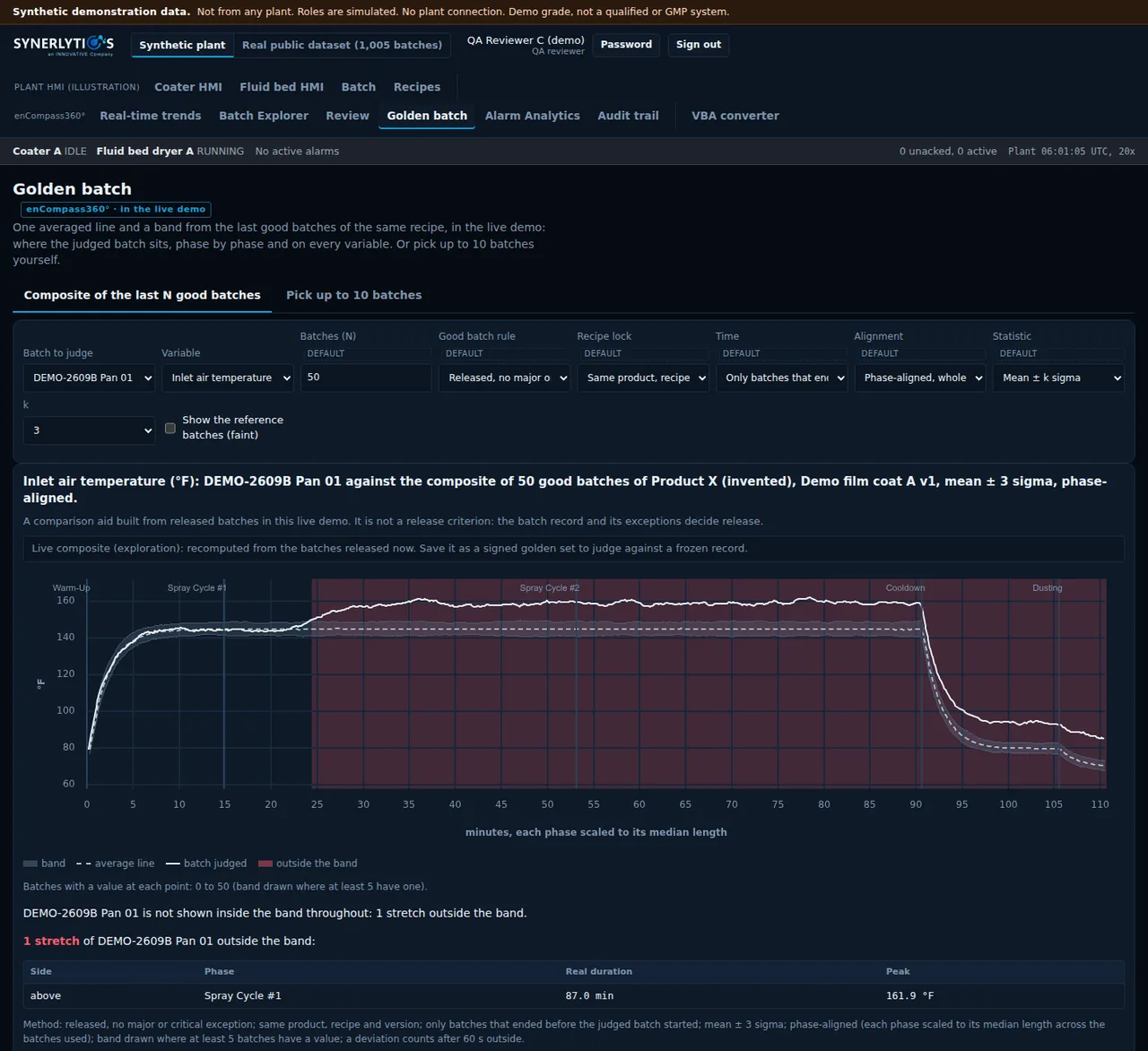
One band from the last 50 good batches.
In the live demo, the composite takes the last 50 released batches of the same product, recipe and version with no major or critical exception, and draws one average line and one band from them, each phase scaled to its median length. The batch being judged is drawn over it, and every stretch outside the band is shaded and listed. It is a comparison aid, not a release criterion: the batch record and its exceptions decide release.
- Installed product today
- Not claimed here for the installed product. In development.
- In the live demo
- One average line and band from the last 50 good batches of the same recipe, with every stretch outside it listed.
Signed batch report
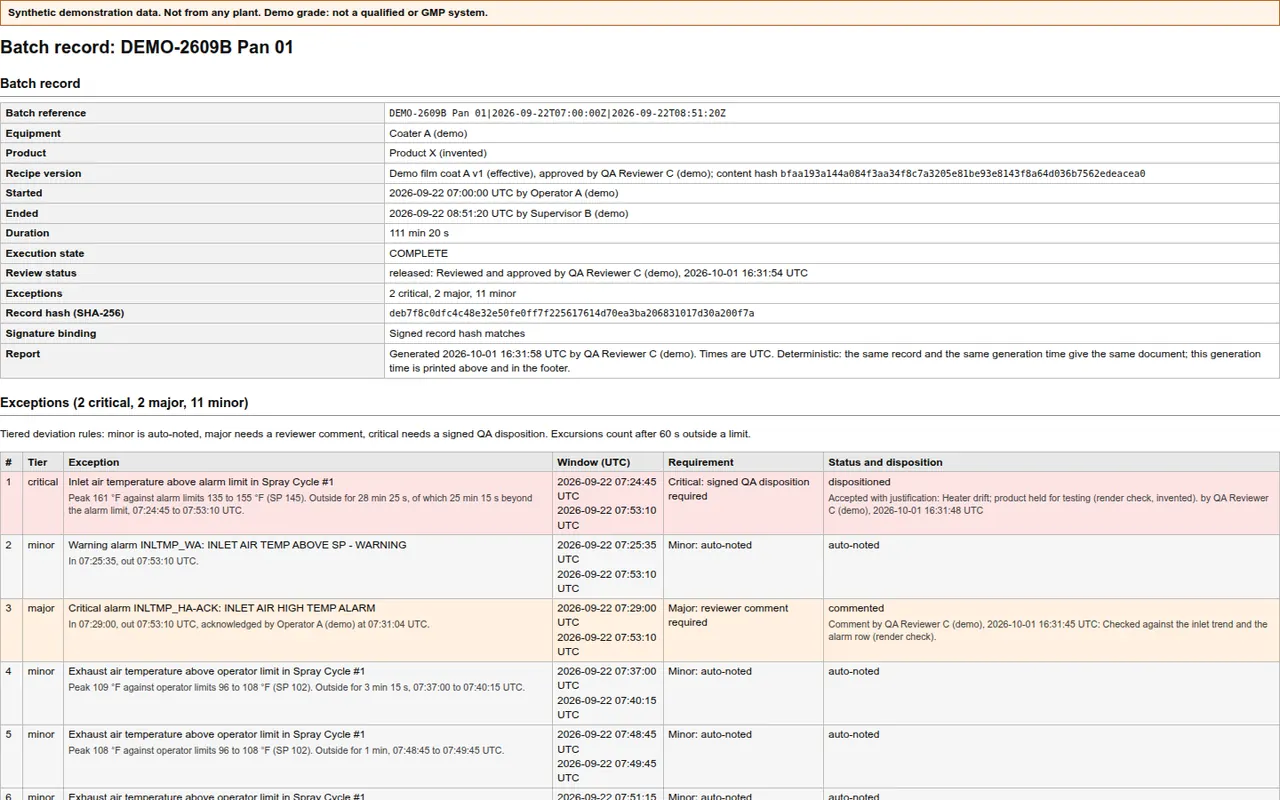
A batch review report the reviewer signs.
The report lists the batch, the recipe version and its approver, who started and ended the run, and every exception with its tier and disposition. A hash of the record is printed on it, and the signature is bound to that hash, so the report shows whether the signed record still matches.
- Installed product today
- Reports as HTML and PDF.
- In the live demo
- A report signed by the reviewer and bound to a hash of the record.
Signing with meaning
A signature that says what it means.
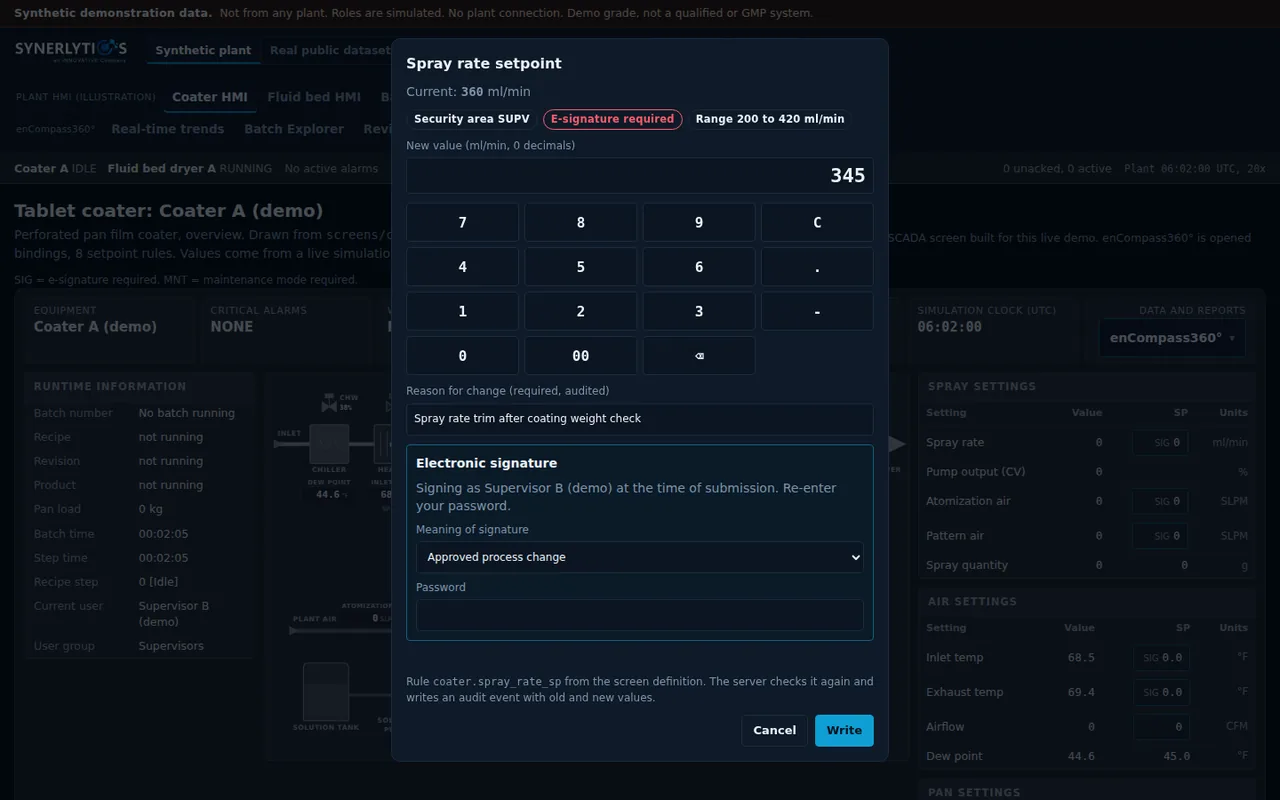
The coater screen below is the live demo's own simulated plant screen, not part of enCompass360°; the batch review writes nothing to equipment. In the live demo, a setpoint marked SIG cannot be written without an electronic signature. The dialog asks for a reason for the change, the meaning of the signature and the signer's password, entered again at the time of submission. The server checks the rule again and writes an audit event with the old and new values, the signer and the meaning.
- Installed product today
- Not claimed here for the installed product. Ask us on the call.
- In the live demo
- An e-signature with a reason and a stated meaning, written to the audit trail.
Equipment fault
When a pump faults, the batch holds and the plant panel says so.
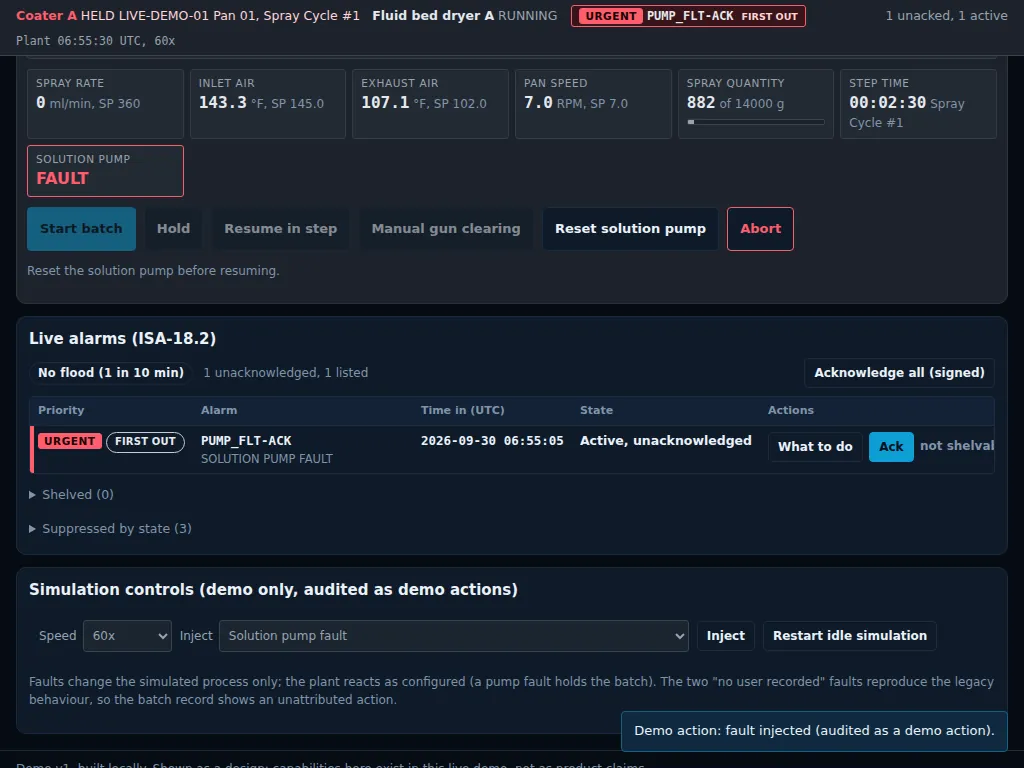
In the live demo, a solution pump fault injected into the simulation puts the batch on hold. The alarm banner at the top of the plant panel shows it as urgent and first out, the live alarm list waits for an acknowledgement, and the panel tells the operator to reset the pump before resuming. Injected faults are recorded as demo actions.
- Installed product today
- The batch review reads alarms and events from your control system. It does not control equipment.
- In the live demo
- A simulated pump fault that puts the batch on hold.
Coater HMI
An operator screen drawn from the equipment.
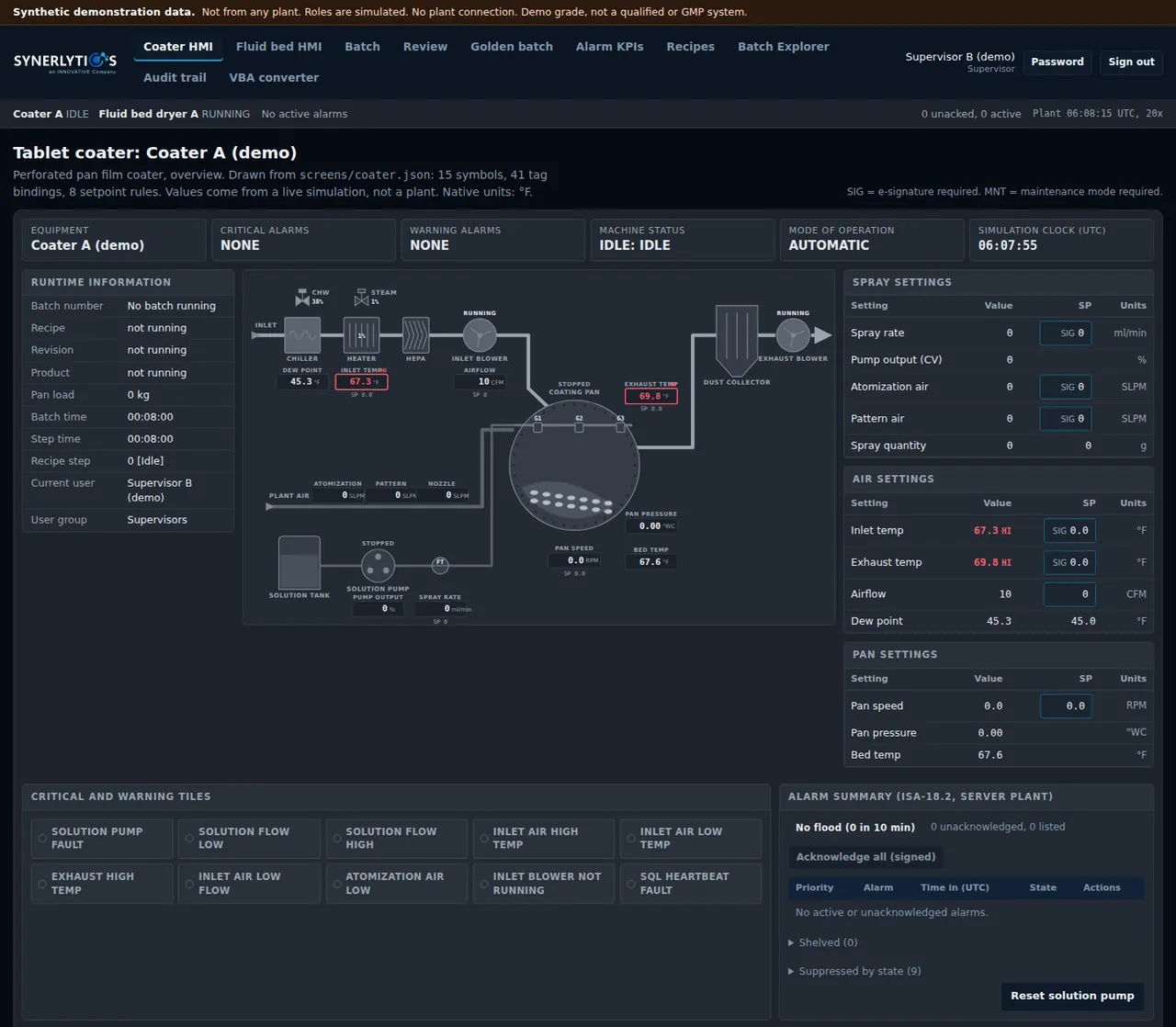
The tablet coater screen shows the process the way an operator reads it: the air path, the pan, the spray system, each value beside its setpoint, and the alarm summary alongside. Values come from a live simulation, not a plant.
- Installed product today
- Not claimed here for the installed product.
- In the live demo
- A tablet coater screen running on a live simulation.
From the plant screen
enCompass360° opens from the operator's screen.
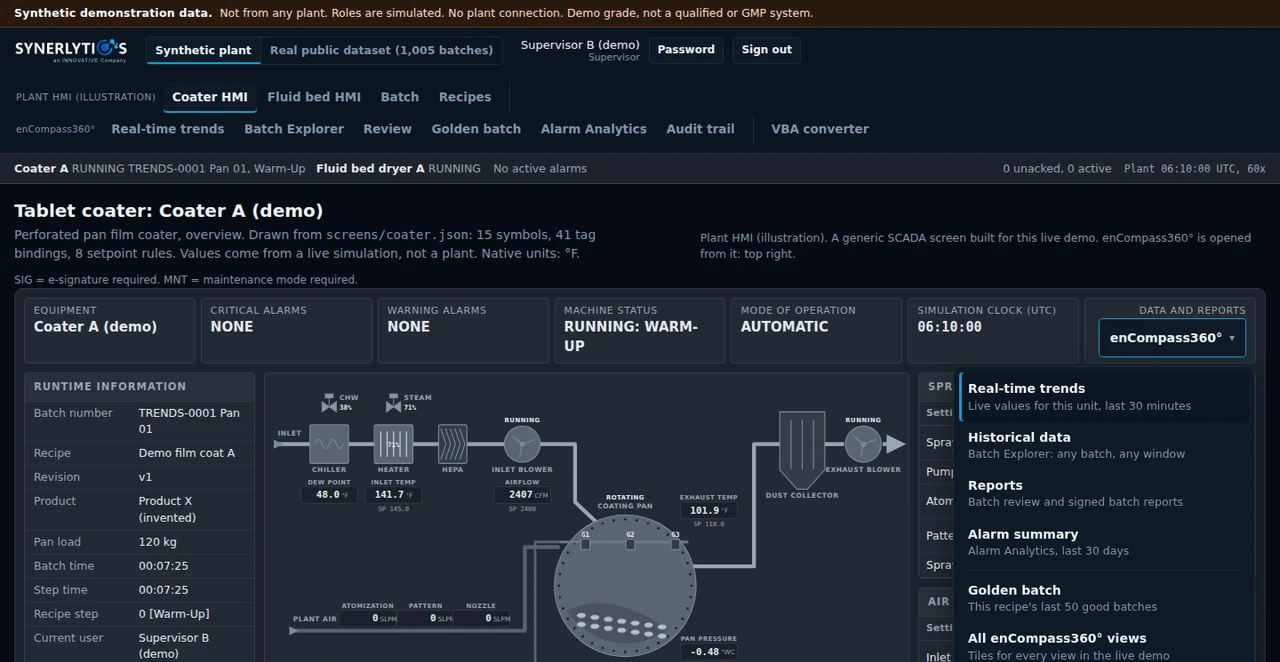
In the live demo, the coater screen carries an enCompass360° menu at the top right. It opens real-time trends for the unit, historical data in the Batch Explorer, reports, the alarm summary, the golden batch and every other view, and the view it opens leads back to the coater screen. The plant screen is an illustration: a generic SCADA screen built for this live demo.
- Installed product today
- Not claimed here for the installed product.
- In the live demo
- A menu on the plant screen that opens each enCompass360° view.
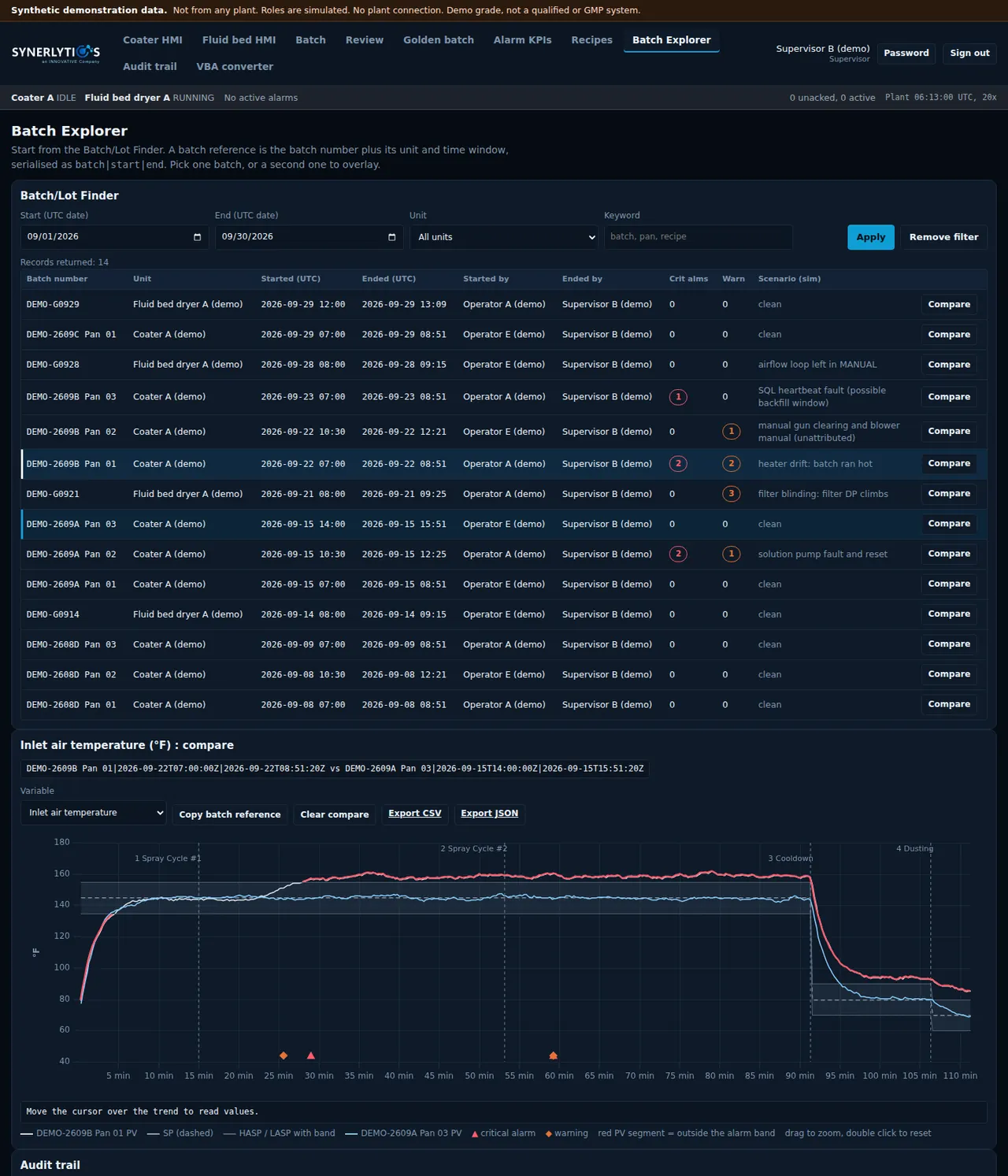
Batch Explorer
Two batches on one time axis.
Find a batch by date, unit or keyword, then overlay a second one. Recipe steps mark the trend, the alarm band is drawn around it, and the batch's audit trail, alarms and recipe steps sit underneath.
- Installed product today
- Retrieve by batch or by date range; two batches on one axis with the steps, limits, alarms and audit trail.
- In the live demo
- The batch finder and the overlay as shown.
Alarm Analytics
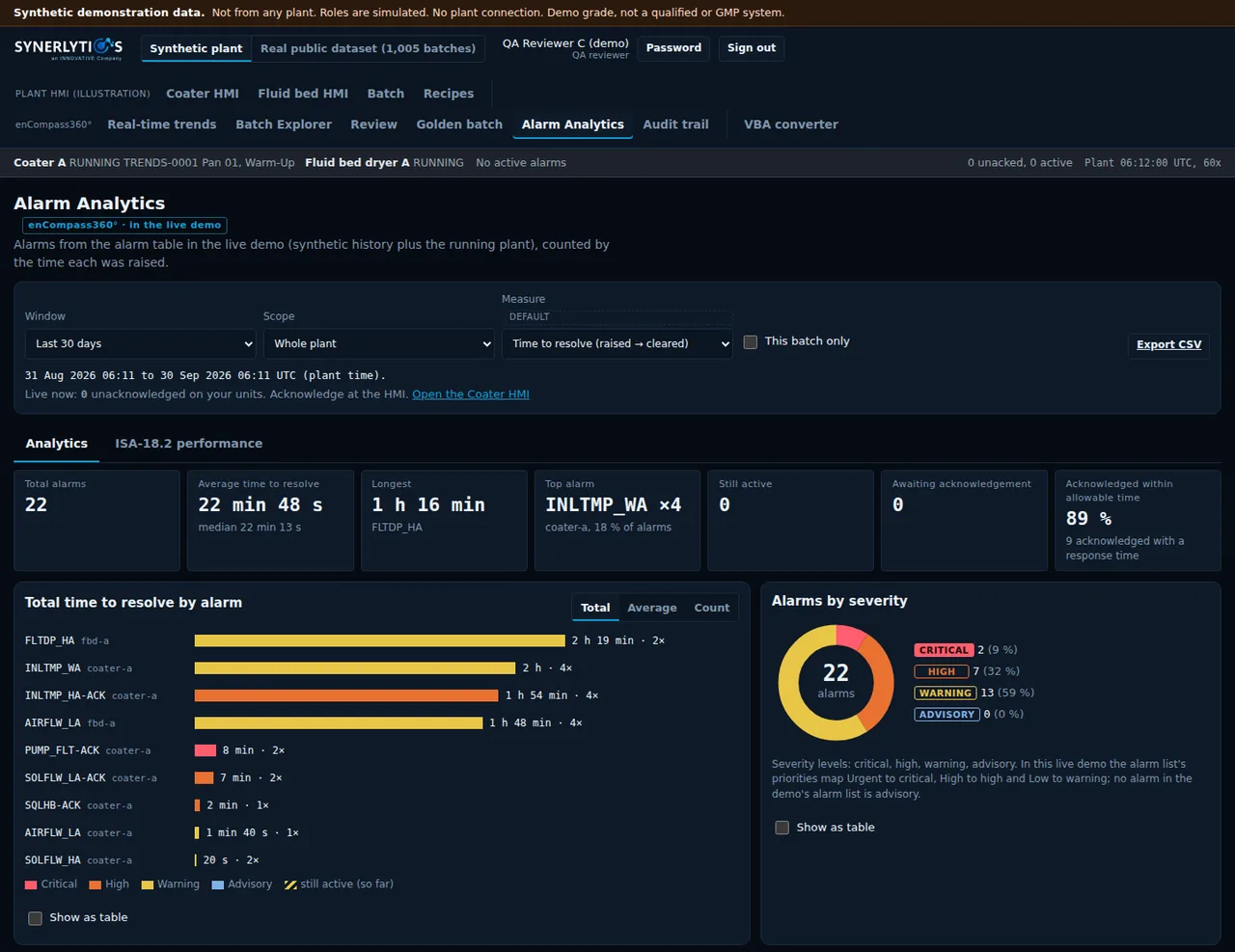
See which alarms cost the most time.
In the live demo, Alarm Analytics reads the demo's alarm table for a window and scope you choose: the total, the average and longest time to resolve, the top alarm, what is still active and what still waits for acknowledgement. Each alarm is ranked on its own unit by total time, average time or count, and a click on a bar lists its occurrences.
- Installed product today
- Not claimed here for the installed product. In development.
- In the live demo
- Alarm counts and times to resolve for the whole plant or one unit, with a drill-down to each occurrence.
Audit trail
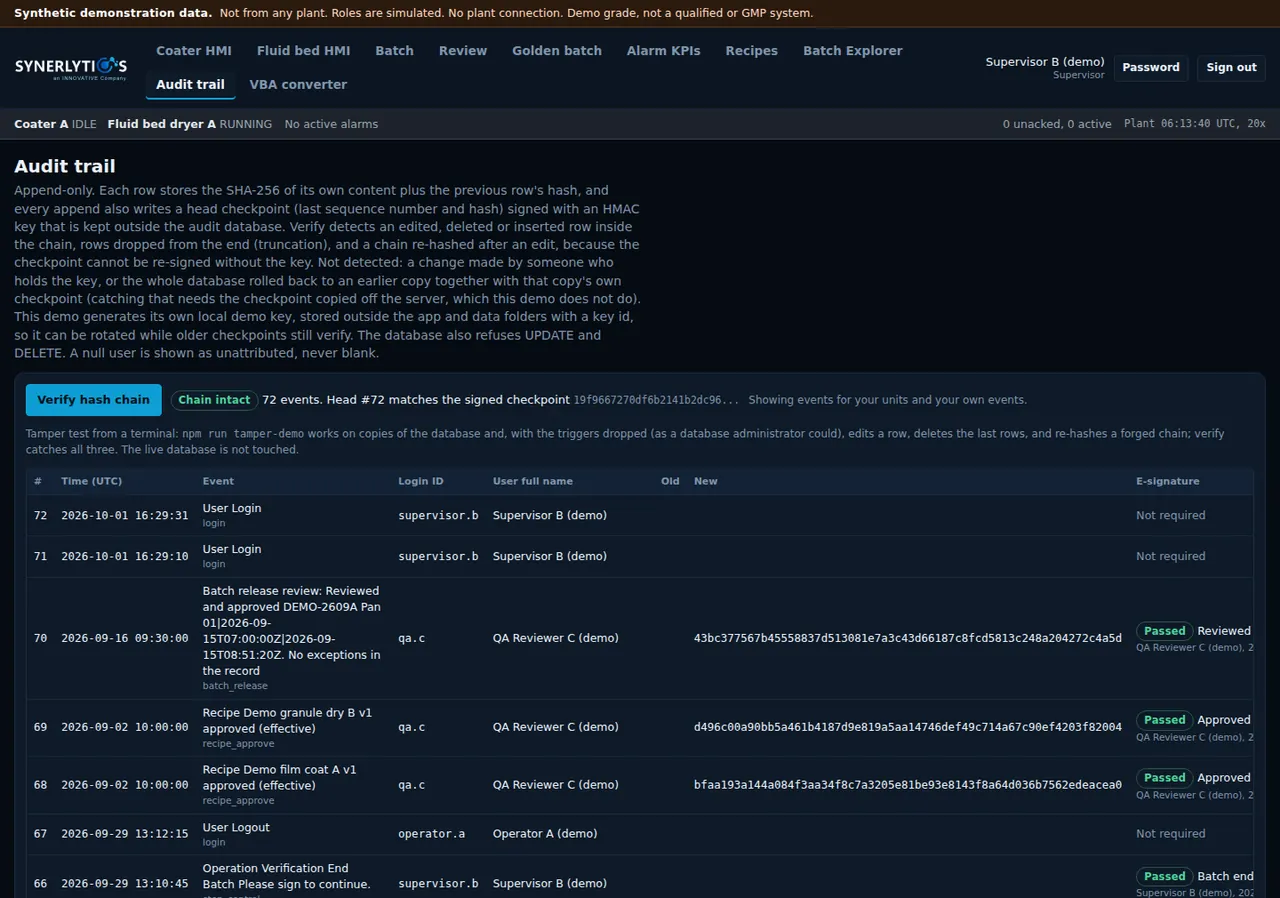
An audit trail that can show it has not been edited.
In the live demo, every audit row stores a hash of its own content and of the row before it, and a signed checkpoint records the head of the chain. Verify detects an edited, deleted or inserted row. The screen also states what it cannot detect, such as a change made by someone who holds the signing key.
- Installed product today
- Each source keeps its own audit trail, shown beside the batch.
- In the live demo
- A hash-chained audit trail with a Verify check.
Recipes
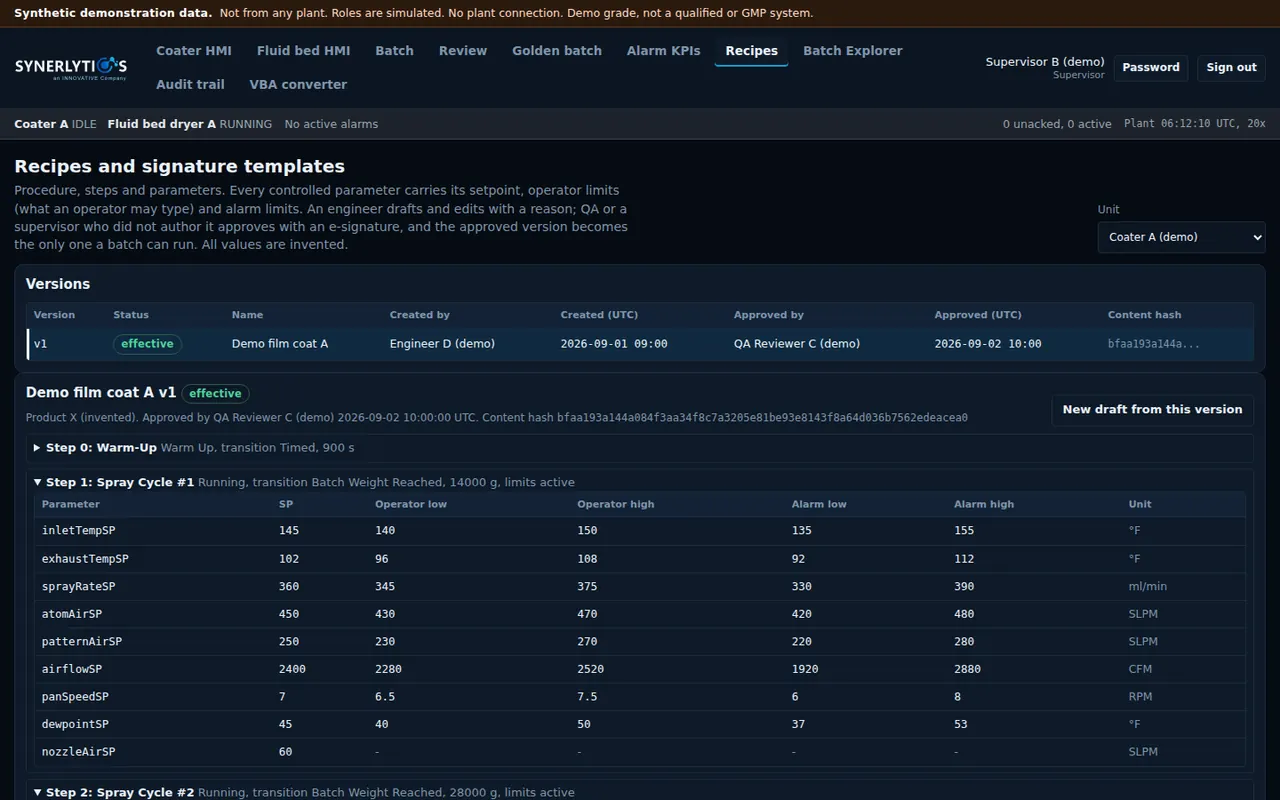
Recipes with limits, versions and a separate approver.
Each controlled parameter carries its setpoint, operator limits and alarm limits. An engineer drafts and edits with a reason, a different person approves with an e-signature, and only the approved version can run.
- Installed product today
- Central recipe editing with revision history and approval.
- In the live demo
- Limits on every parameter, and a different person approves with an e-signature.
Works with what you already run
Nothing ripped out. The batch review writes nothing back.
enCompass360° sits beside the systems your plant already owns. Each keeps its own records and its own audit trail.
- Reads your existing iFIX and other SCADA alarm and event data, read-only.
- Reads SQL Server batch databases and your historians where they sit.
- Nothing is replaced, and the batch review writes nothing back to the source systems. Recipe management is a separate module.
- Runs on your own network. Today, your regulated data stays on site.
iFIX 2026 adds a built-in web browser element that can display web applications inside iFIX pictures, which means a browser-based tool can sit inside existing iFIX screens. That is a feature of iFIX, not a shipped enCompass360° integration; how it would apply at your site is part of the deployment conversation.
Source on the iFIX 2026 browser element: Velotic webinar, from 33:31. iFIX is named for identification only.
Next step
See one batch, on one screen.
A live walkthrough of these screens, on a film coating line with synthetic data, with the people who build them.